A patient in the internal medicine clinic needs a chest X-ray. The doctor writes a request, the patient walks to radiology, the radiographer retypes the patient's name and date of birth on the machine's console, the image is taken, and a radiologist reads it and writes the report. A few hours later, the doctor in the clinic calls radiology: "Is the chest X-ray result for that patient ready?"
Each of those steps looks simple. But between them are many small gaps: a name mistyped on the machine, images that don't know which order they belong to, a report that is finished but the referring doctor doesn't know it. This article follows the journey of one radiology order, and how those gaps can be closed.
1. The order is made where the patient is being treated
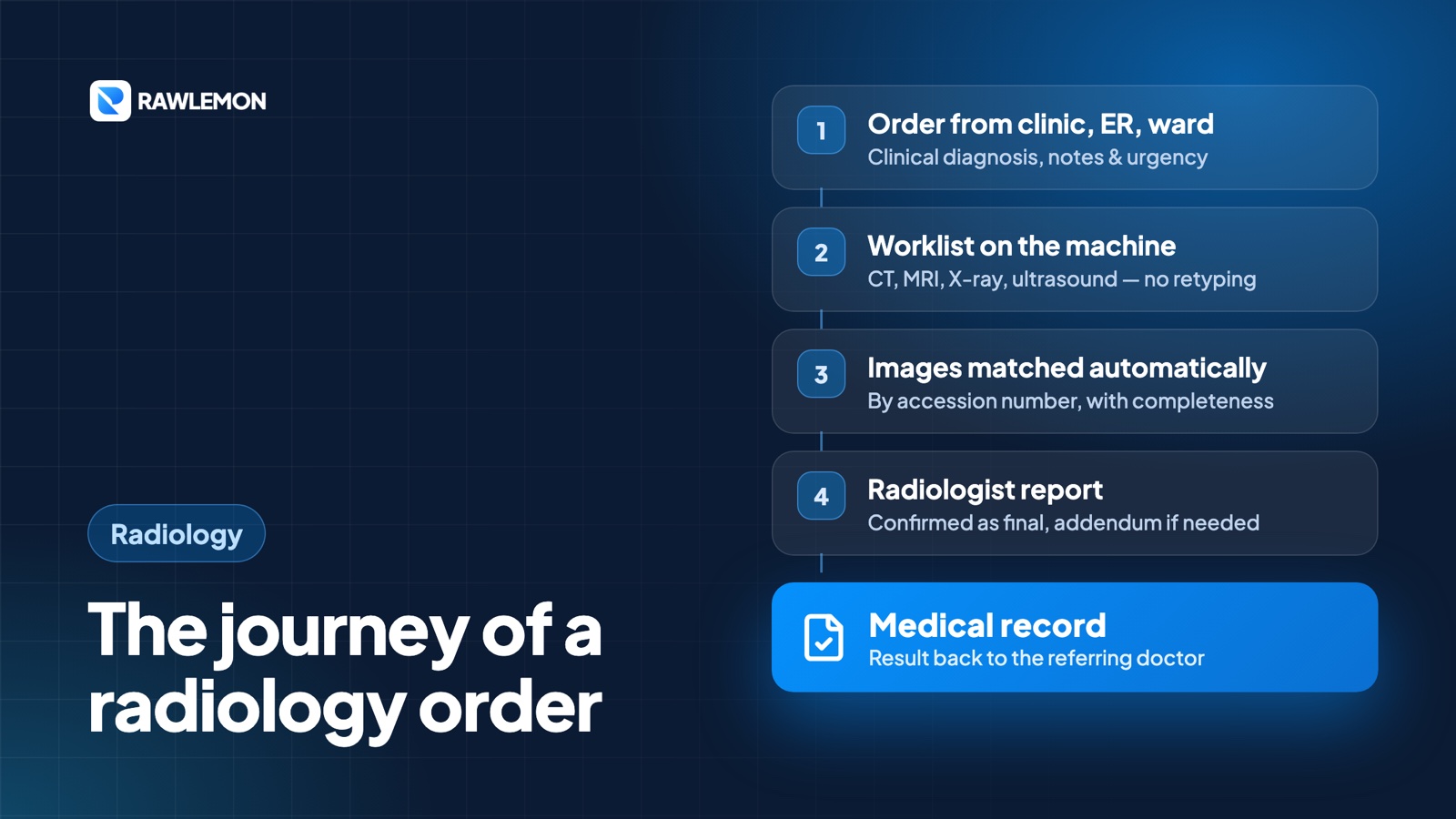
A radiology order is created directly from the patient's visit — in the outpatient clinic, the emergency department, or the inpatient ward. Besides the type of exam, the order carries what the radiologist needs to read accurately: the clinical diagnosis, clinical notes from the referring doctor, and the priority level.
This clinical information is often treated as a formality. Yet a radiologist reading an abdominal CT labelled "suspected appendicitis" will focus on different things than one reading it with no information at all.
The priority travels with it too. An order marked urgent stands out immediately and sits at the top of radiology's worklist, instead of being buried among scheduled exams.
2. From the order to the machine, without retyping
Once the referring unit confirms the order — and it is paid, for patients who need to pay first — the exam appears on the worklist of the machine — CT, MRI, X-ray, or ultrasound. The radiographer simply picks the patient from the list on the machine's console. Name, date of birth, medical record number, and priority are already filled in, so there are no more mistyped names.
Each exam gets its own accession number. That number is what later connects the order, the machine, the images, and the report.
The radiology unit stays in control: an order can be rescheduled, or rejected with a reason the referring unit can read — for example, because the patient's preparation is not complete. When the machine starts the exam, the order's status changes to in progress without anyone updating it by hand.
Within the radiology unit itself, every exam still to be done that day is gathered in one worklist, sorted by priority, with the referring doctor, schedule, and exam room.
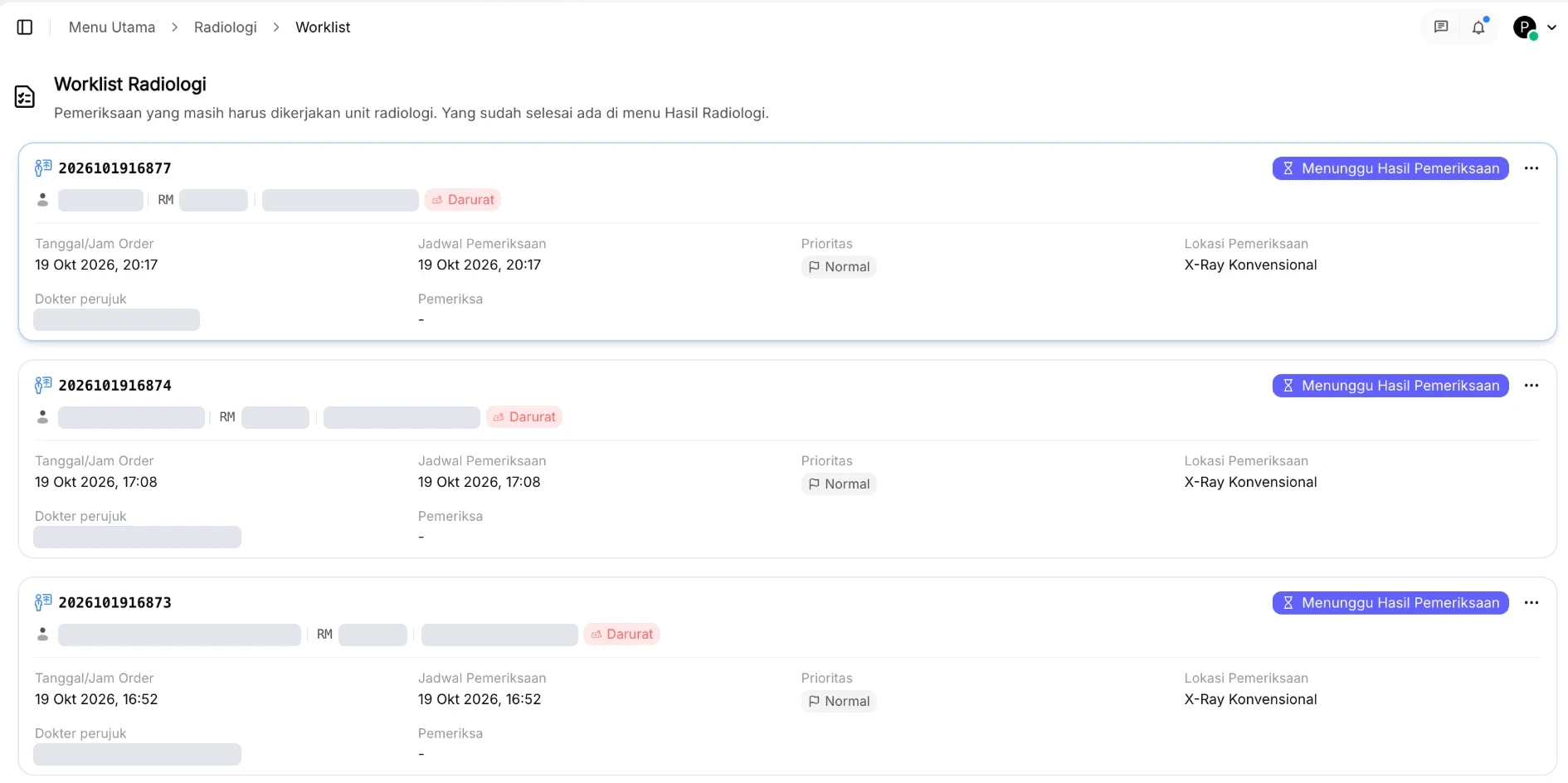 The radiology worklist in HISGrace SIMRS (Indonesian interface). Names and identifiers are redacted.
3. The images find their own order
After the exam, the images are sent from the machine to the PACS and matched to their order automatically through the accession number. Their completeness is visible — still arriving, incomplete, or complete — so the radiologist knows whether every series has arrived before starting to read.
Not every exam happens in the expected order. In an emergency, a patient is sometimes scanned before the order is created. Those images are not lost. They go to a list of studies without an order and can be linked manually, with suggestions of orders for the same patient around the exam date. Links made manually are never overwritten by automatic matching.
4. The report: final, then an addendum if needed
The radiologist opens the images straight from the order in HISGrace DICOM Viewer, then writes the report: the findings and the impression.
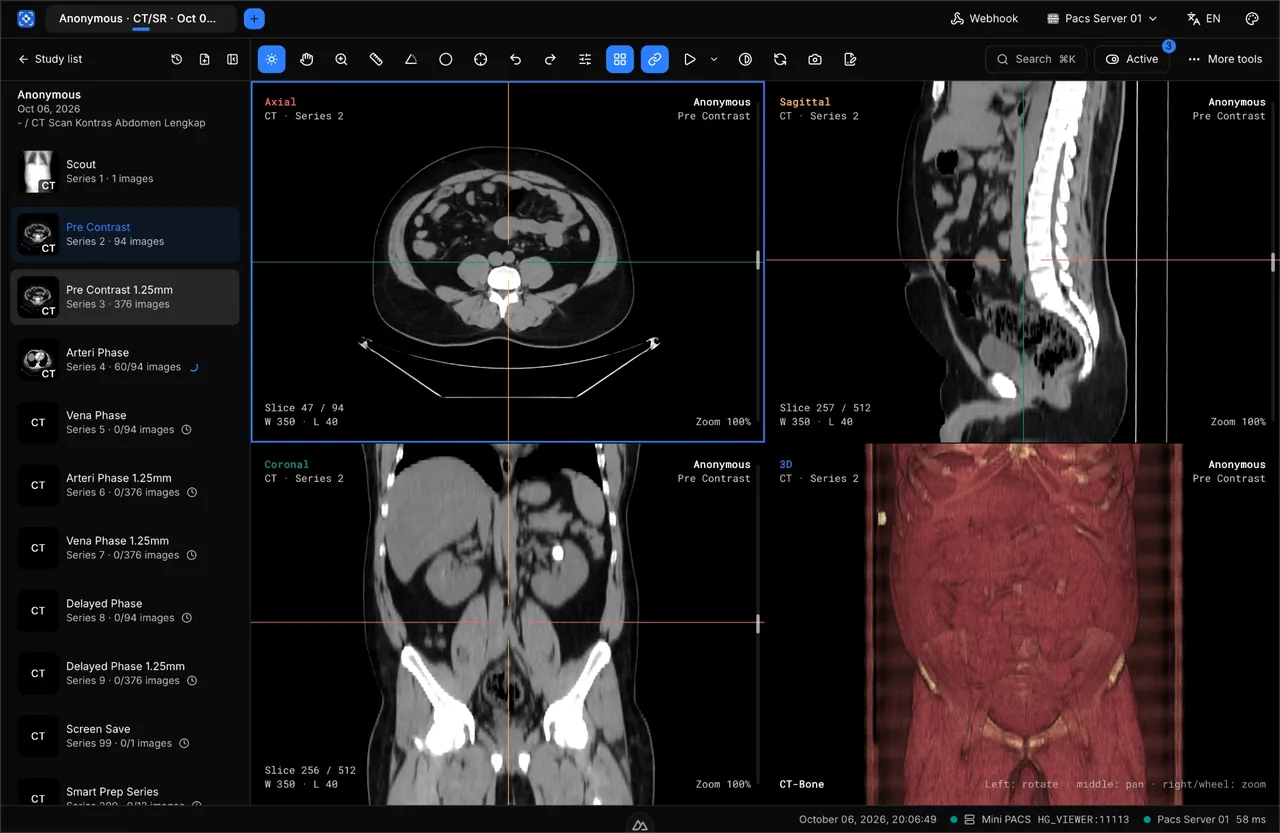 Images open straight from the order for the radiologist to read.
When the report is confirmed, it becomes final and the order is complete. If something needs to be added later — a finding that was missed, or a comparison study that has just arrived — the radiologist writes an addendum. The original report stays locked, and the addendum is recorded separately with its own time and doctor's name.
A final report is deliberately never changed silently. The referring doctor may already have made a decision based on the first report. With an addendum, anyone reading can see what changed and when.
5. Back to the referring doctor
As soon as the report is confirmed, the referring doctor can see the report and the images directly from the order in the patient's visit. The result also appears in the diagnostic results section of the medical resume, and can be printed on the hospital's letterhead.
For the question "where is it now?", every order has a stage timeline: when it was created, confirmed, started, when the images arrived, when reading began, and when the report was confirmed — each with the time and the staff member involved. The answer is on screen, with no need to call radiology.
One number, a lot less work
Almost every gap at the start of this article comes from the same thing: the exam's identity is retyped in every place. When one order carries its own number from the clinic to the machine, to the PACS, to the radiologist's desk, and back to the medical record, a lot of small work simply disappears — retyping names, figuring out whose images these are, and calling to ask about results.
Comments
Sign in to like, comment, and reply.